A host in the corner
The History narrator waves hello and presents the first figure, small in the corner like a news anchor.
Put a host beside your pictures. Its lips follow every sound of the narration, it points at what is shown, shrugs at a question and reacts to the story, and the AI Director decides where it appears. Add stick-figure scenes drawn from your script, in the explainer-channel style.
The host is planned with the pictures, so it knows the story it is telling.
Choose a Channel host in the wizard, or start from a template that has one. Or press Host on any scene of the Visuals screen, or any board in Doodle Maker.
In the same plan that picks the pictures, the Director decides which scenes the host is in, where it stands, and the gesture and mood of every sentence.
Change the gesture and mood of any sentence, move the host, or switch it on or off on every scene at once.
The host plays in the live preview as you scrub, exactly as it will be exported.
Every clip with a voice is cut from a video exported by the app, unchanged. Press play to hear the lips follow the voice.
The History narrator waves hello and presents the first figure, small in the corner like a news anchor.
The host steps up to fill the frame to ask the viewer a question, then goes back beside the pictures.
A host made on the Hosts screen, with the channel name on its shirt, standing beside the picture.
A stick-figure scene: a row of nine, with four turning red on "four", a place tag and a handwritten label.
Four soldiers and a drawn decoy tank that deflates, each brought in on the word that names it.
A builder, a lorry, a nurse and a hospital, with a label arrowed to what it names.
Drawn objects from the library with a date tag, while the host presents from the corner.
New text on picture: a handwritten note writes itself on with a curved arrow to the spot you choose.
The host works out what to do from your words, sentence by sentence.

12 mouth shapes, from the actual sounds being said: closed for m, b and p, wide open for "ah", round for "oh", the lip under the teeth for f and v. Timed so they never flicker.
It points at what is being shown, shrugs at a question, explains with both hands, presents, and waves hello at the start of the video.
Its brows and mouth show calm, happy, worried, angry or sad. Brows lift and the head nods on the words it stresses.
It blinks, sways and nods between words, and a host that carries on into the next scene joins it without a break.
It works with any voice in the app, and with your own recording. The lip sync runs on your computer and needs no account.
Stand it on the left, right or centre, and it turns to the picture, so it points the right way from either side.
Pick a Channel host in the wizard, or start from a template that has one: News explainer brings a news anchor in the corner, History a history narrator, Shorts explainer a teacher.
The host greets the viewer, asks the questions, turns the story, presents the charts and maps, and signs off.
Where a picture should speak alone, the host is off. Beside the pictures it is on in at most about six scenes in ten, and never gone for more than three in a row.
It points at a figure, shrugs at a question, looks worried at bad news and sad at a loss.
With The Director picks, it stands on the side away from what the picture shows and any title on it, and keeps a side for a while instead of hopping.
Over a chart, map or timeline the host moves to the corner, and it goes full frame only for a big question to the viewer.
A host you set on a scene yourself is never changed by planning again. Pick a place of your own and it keeps to it all video.
Where it stands is yours to set. Left, Right, Centre, Corner, like a news anchor, Full frame, or The Director picks, scene by scene.
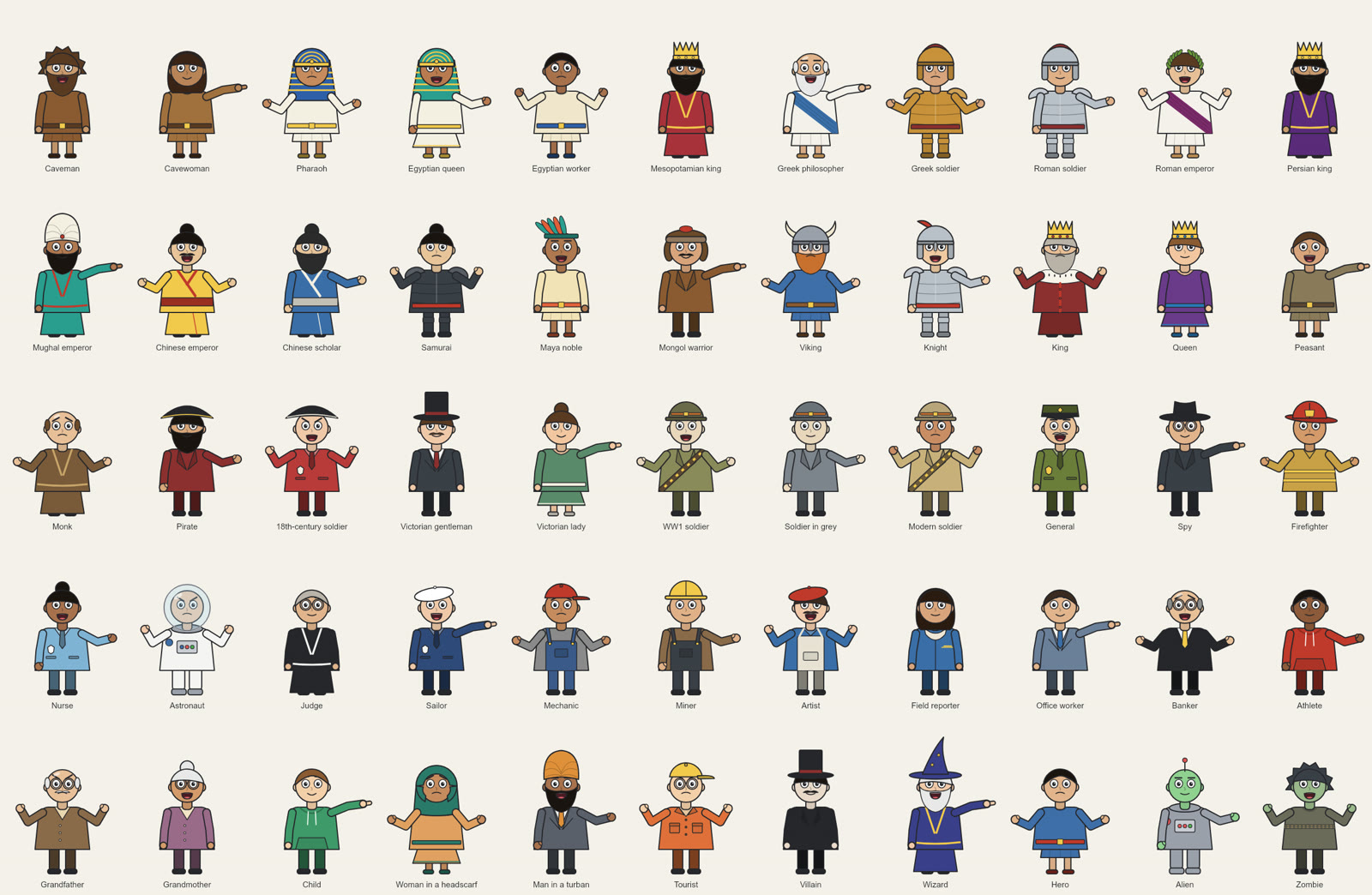
Every one is the app's own design, free to use in paid videos. Open More characters in the host picker for the 75 characters of the drawn library too.
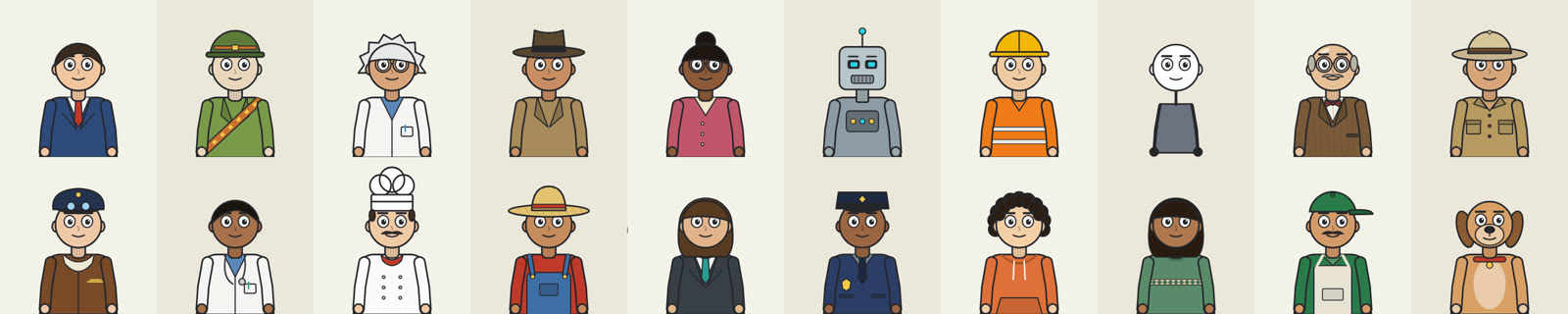
The Hosts screen in the sidebar builds a character from the same parts as the ready-made ones. Start from any of them, and a live preview says a line as you build, in any gesture and mood. Characters are saved as you change them.
A person, robot or animal face, with the skin or fur you choose.
17 hairstyles and hats, or none, in any colour. Crowns, helmets, a pharaoh's headdress, a turban and more from the library.
17 outfits with a main and a second colour, plus robes, armour, a toga, a dress and a spacesuit.
Glasses, a moustache, a beard, a bow tie, a stethoscope, a bandolier.
Put your channel name or a short word on the shirt.
Export a character as a small .json file and import it on another computer.
Your videos stay the same. A video keeps its own copy of the character, so it renders the same on another computer and after you change or delete the character. When you change it, the Host panel offers Update this video.
Tick Stick-figure scenes in the Director's footage and it draws simple scenes on paper where a line needs one. Each thing comes in as it is said: the soldiers on "soldiers", the tank on "tank", the red figures of a row on their number.
"4 of 9": a row of cartoon people, with the ones the line singles out turning red and worried.
The person the line asks you to be, in their own place and time.
Two sides set against each other, each with the line's own word over it.
A cause and what it leads to, with handwritten labels that write themselves on with an arrow.
Something the library does not have? It is shown as a line icon from a set of nearly a thousand, or, when no icon fits, as one line drawing made with your image provider. Only a thing the narration says is drawn this way, at most one picture a scene, and a label never shows a number the narration does not say.
What it does, what it works with and what it costs.
A cartoon character that stands beside your pictures and talks with your video's voice. Its lips follow the sounds being said, and it points, shrugs, explains and reacts with a mood for each sentence. It is new in Vid Optimus 4.0, for AI videos and Doodle Maker.
No. It is a cartoon host, drawn by the app, in the style of faceless explainer channels. It is not made from a photo or a video of a real person.
Any voice in the app, and your own recording. The lip sync runs on your computer and needs no account. Its mouth shapes are learned from English speech, so English narration gets the most exact lips.
No. There are no credits or per-video fees for the host. The lip sync runs on your computer, and every character is the app's own design, free to use in paid videos.
Yes. The Hosts screen builds a character from the same parts as the ready-made ones: a person, robot or animal face, hair or a hat, an outfit in your colours, extras, and your channel name on the shirt. A live preview says a line as you build. Make it your Channel host and every new video starts with it.
No. Pick a Channel host in the wizard and the AI Director decides which scenes it appears in, where it stands, and the gesture and mood of every sentence. Or choose Every scene to keep it on the whole video.
Yes. Change the gesture and mood of any sentence, move it, or turn it off. Use this host on every scene gives the whole video the same host, and Switch on everywhere or Switch off everywhere does every scene at once.
No. It sits over the picture and under the captions. Over a chart, map or timeline it moves to the corner, and in a tall video it stands a little taller when the captions would cross its mouth.
Simple drawn scenes made from your script in the explainer-channel style: rows of cartoon people, drawn objects that move, a place or date tag and handwritten labels. Tick Stick-figure scenes in the Director's footage and it draws them where a line counts people, asks you to imagine being someone, sets two sides against each other or shows a cause and its effect.
75 characters from every era, from cavepeople to astronauts, and 70 objects, from tanks and steam trains to castles, money and dinosaurs, all the app's own drawings. When a line names something the library does not have, it is shown as a line icon, or as one line drawing made with your image provider. At most one picture is made for a scene.
Yes. Pick a host on any board of Doodle Maker's Boards step, or as the Channel host in its wizard, and the boards are drawn beside the host rather than under it.
Yes, in 9:16 and 16:9. In a tall video the stick-figure scene rises above a host standing across the bottom.
Free for 7 days. No card needed. Works on Windows and macOS.